
-
Step 1: Prepare Your Media
-
Step 2: Create Your Vub
-
Step 3: Refine Your Vub
-
Step 4: Create Your Final Quality Vub
Step 1: Prepare Your Media
Your first step happens outside of DeepEditor. You need to choose and prepare:
- Source media - the original shot containing the character you want to vub
- Driving Data - a video/audio file or standalone audio containing the new dialogue or performance
- Training data (optional) - additional video of the same actor to improve vub quality, if needed
Select and prepare your media carefully before uploading. It has a direct impact on the quality of your vub. Learn more in Prepare Your Media.
Step 2: Creating Shots & Vubs

If you want to create shots & vubs in the Flawless DeepEditor Avid Extension, see here for full guidance.
Before moving forward, check that you have sufficient tokens - the credits used when creating a vub. Learn about token types and pricing here.
Next, upload your prepared media, create a shot, then use a token to create a vub. Learn more in Creating Shots & Vubs.
Step 3: Refine Your Vub
If you want to adjust specific aspects of your vub’s lip sync, the Refinement tool gives you precise control. This step is not always necessary - vubs are built to look strong ‘out-of-the-box’ - but if you do want to adjust, the tool lets you take it to perfection.
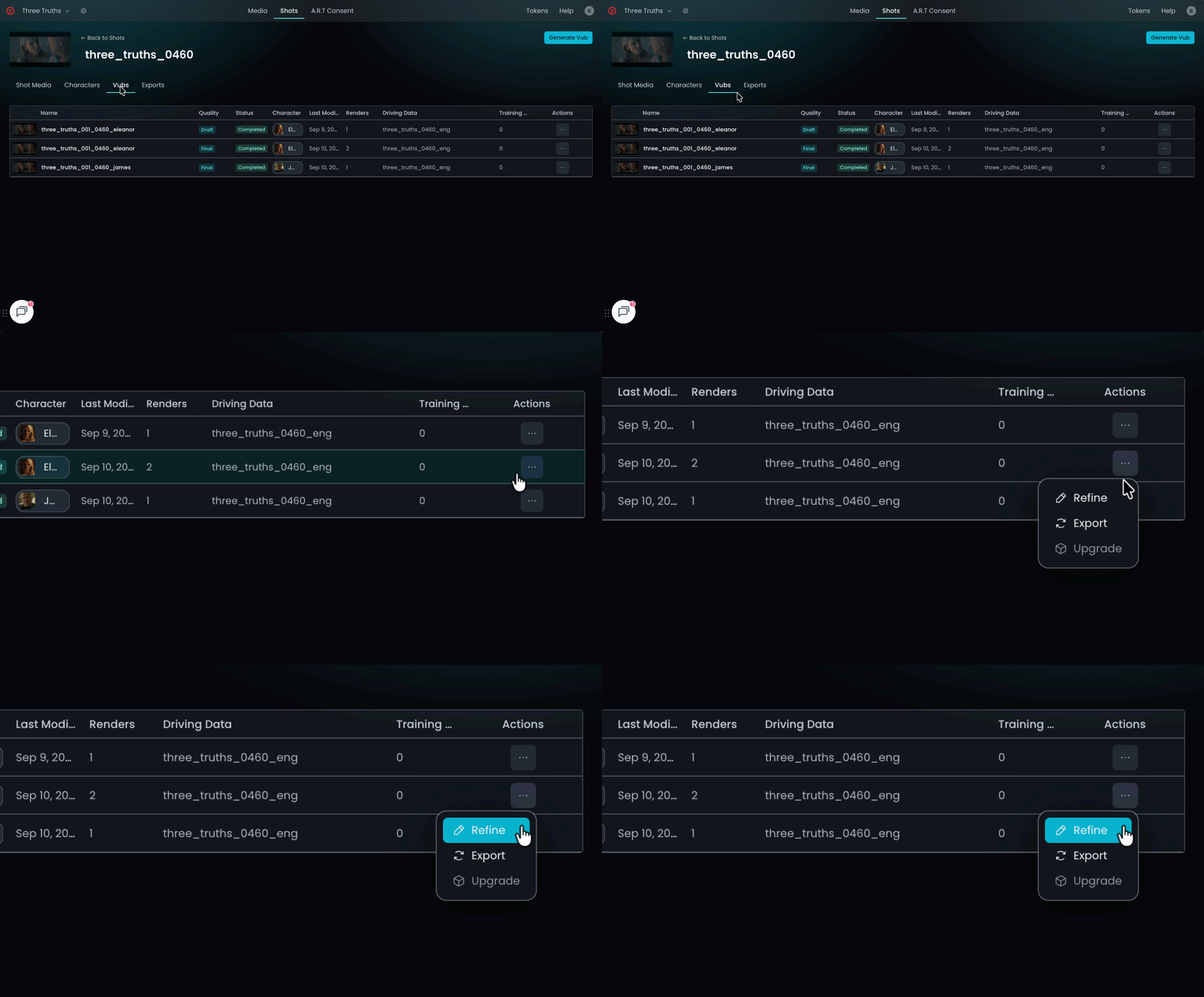
Learn more in Lip Sync Refinement.
Step 4: Create Your Final Quality Vub
Recreate your vub at full (Final) quality in your chosen resolution and format for delivery to your conform. Key considerations at this stage:
- Choose the appropriate distribution scope when using Final tokens
- Understand the Final Quality vubbing workflow for your delivery
If you run into any issues, search our Knowledge Base, ask our chatbot (in the bottom right of your screen) or get in touch at support@flawless.app.
Note that in an Editing project, you must obtain artist consent before exporting a clean (unwatermarked) vub for distribution. The Artistic Rights Treasury (A.R.T.) workflow in DeepEditor allows you to manage this process end-to-end, ensuring every deliverable has the right approvals in place.
Learn more in The Artistic Rights Treasury.
Read Next: Create Your Vub