
-
Accessing the Refinement tool
-
Prerequisites for Starting Lip Sync Refinement
-
Methods for Reviewing Your Vub
Accessing the Refinement Tool
-
To access the Refinement tool and start editing your vub, follow these steps:
-
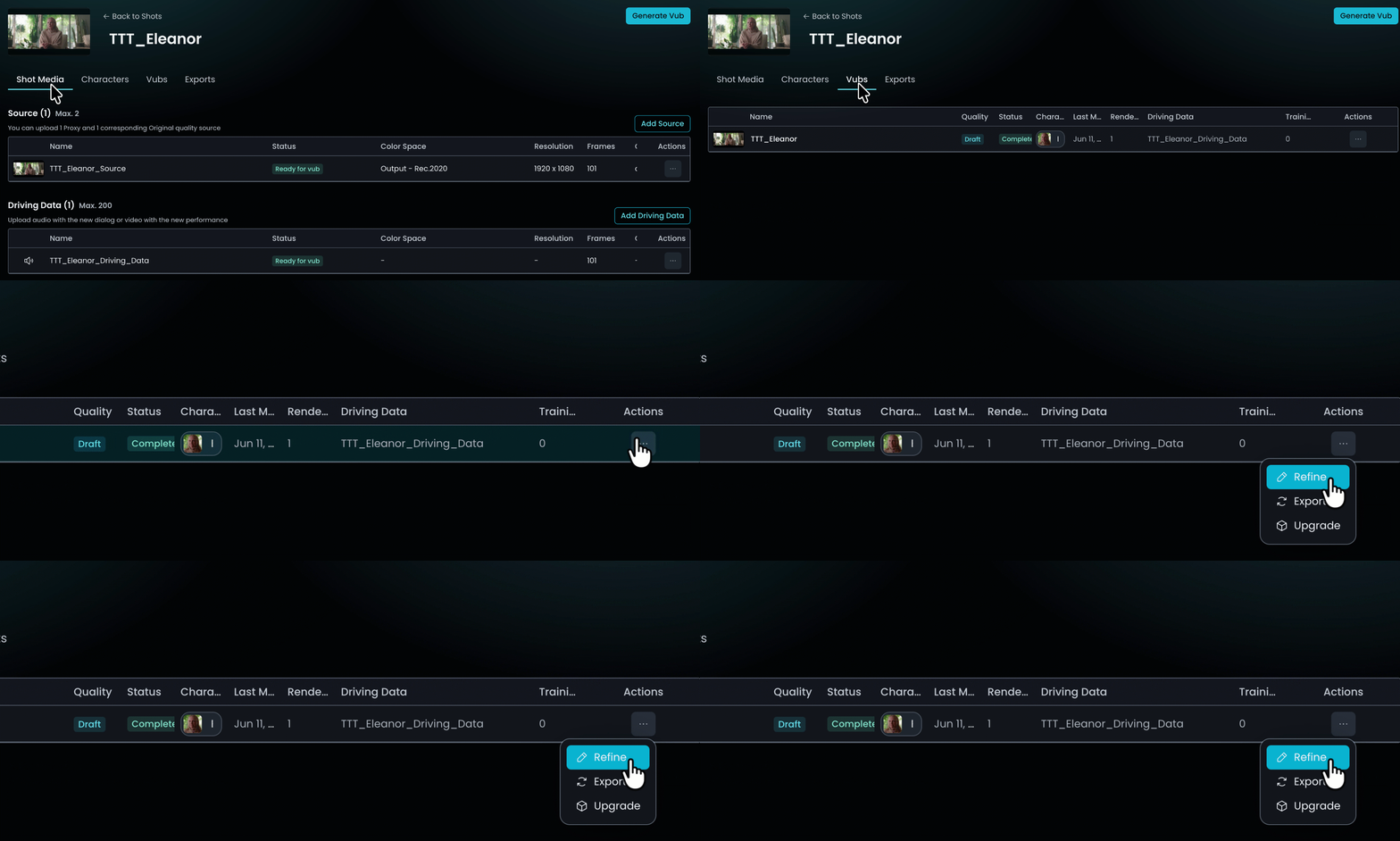
Go to the Vubs tab for your Shot and click on the vub you want to refine.
-
Under the Actions column, click the three dots to open up the menu of options and click Refine.
-
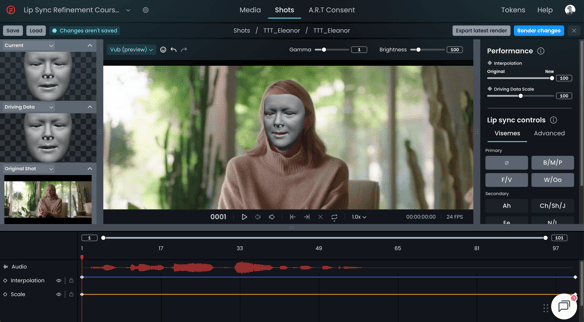
In the Refinement tool you can play through your vub and start making adjustments.
-
Prerequisites for Starting Lip Sync Refinement
- You must have generated your initial vub – your ‘out of the box’ result (see How to Create a Vub if you haven’t done this).
- You have assessed your out-of-the-box result and determined you would like to refine the lip sync.
- You are familiar with the Refinement Interface and understand the Refinement Process.
Methods for Reviewing Your Vub
You can assess your vub in any of the following ways:
- By downloading the vub to your file system
- By reviewing in DeepEditor itself
- By importing directly into Avid via the Avid extension (read our Avid Extension guides).
Downloading Your Vub
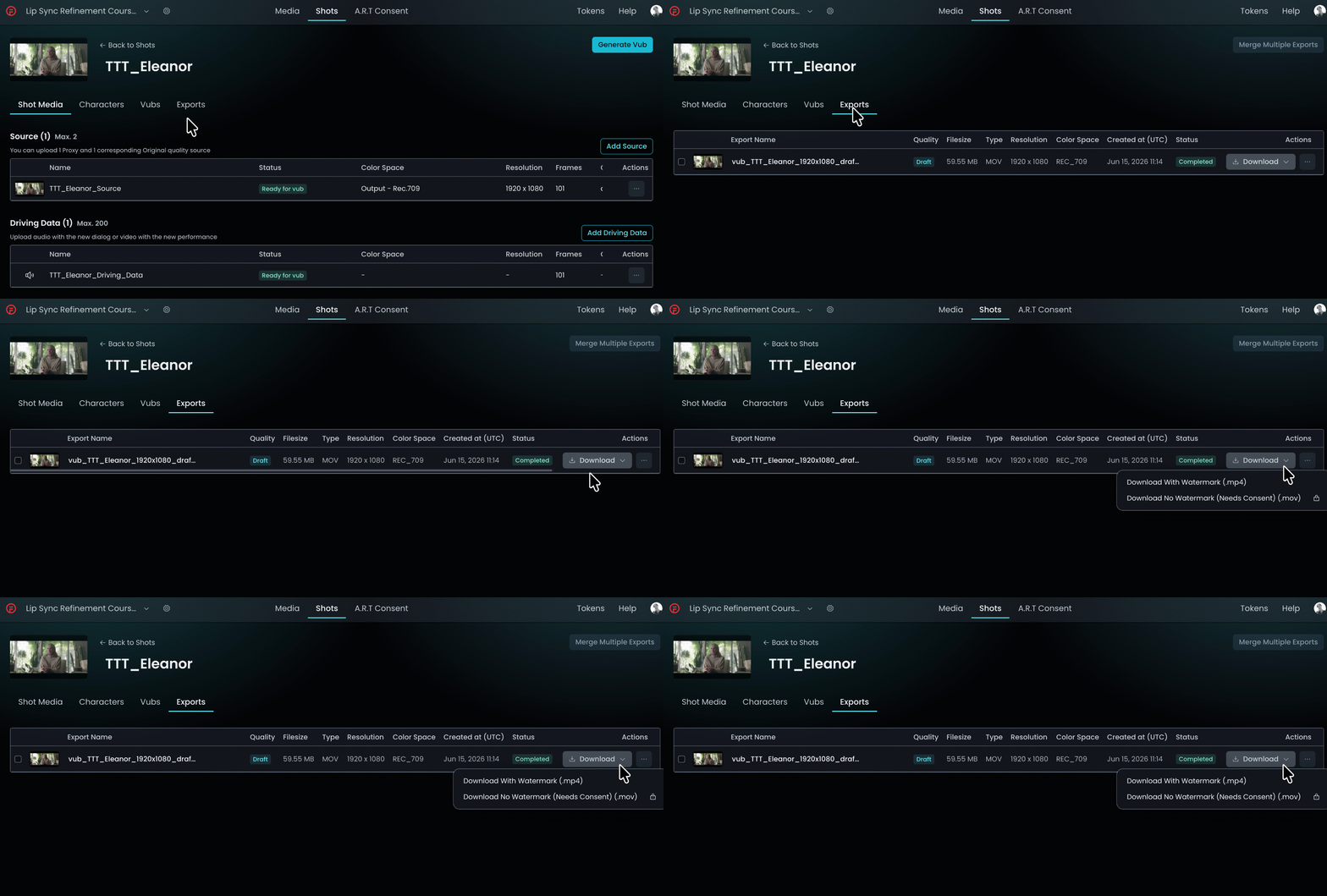
In the DeepEditor web app, you can download your out-of-the-box export from the Exports tab:
Reviewing Directly in the Web App
In the DeepEditor web app, click on your vub in the Vubs tab and a panel will appear on the right. View your latest render in the small window, expand to full screen and adjust playback speed.
Read next: Refinement Best Practice