
-
Who is the Requester?
-
How to Set Up a Project for Consent
-
How to Assign a Rights Clearance Manager (RCM)
-
How to Invite Additional RCMs
-
How to Generate and Track a Consent Request
-
Consent Request Stages
Who is the Requester?
The Requester is the end user who is making or initiating the request for consent at the vub level.
How to Set Up a Project for Consent
When you create a project in DeepEditor, you will be prompted to choose between two types of projects: Editing or Localization. See Creating a Project to understand the distinction between these two project types.
We trust our customers to act in good faith regarding the legal implications of opting to bypass the Artistic Rights Treasury consent workflow.
This guide assumes you’re working on an Editing project.
How to Assign a Rights Clearance Manager (RCM)
After selecting the Editing project type, use the dropdown to choose a Rights Clearance Manager.
-
- This person is responsible for managing consent settings and requests.
- It’s could be a producer, post production supervisor, or similar, depending on your production.
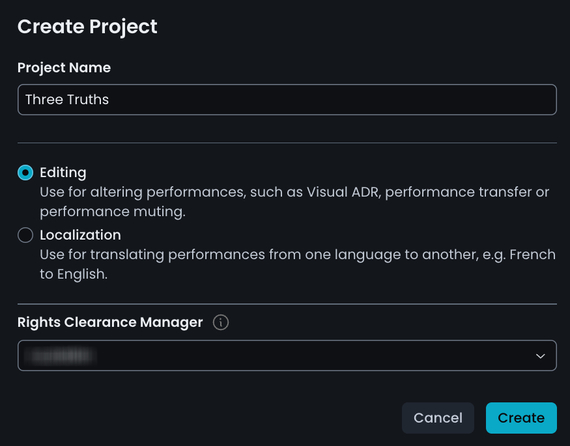
You have two options:
- Nominate yourself - If you're creating the project and plan to manage consent, you can take on this role immediately.
- Nominate someone else - Choose any DeepEditor user ithat exists in your shared workspace.
- If you need to assign someone outside your workspace, see here to understand how to add them.
Once a nomination is sent:
- The Rights Clearance Manager invitee(s) will receive an email and can accept or decline.
- You’ll be notified and see their decision in Project > Settings > Roles.
- A Rights Clearance Manager can not perform any actions without first accepting the role invitation.
How to Invite Additional RCMs
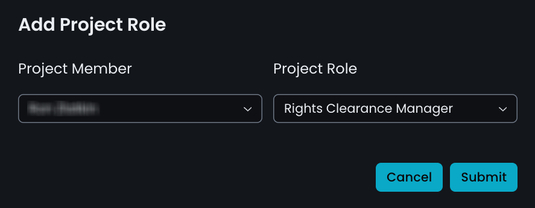
At any time, you can add more Rights Clearance Managers:
-
Go to your Project Settings.

-
Scroll down to Roles and click Add Role.
How to Generate and Track a Consent Request
When you have created a vub and wish to download it, the process of of requesting consent is detailed in Downlaoding Your Vub.
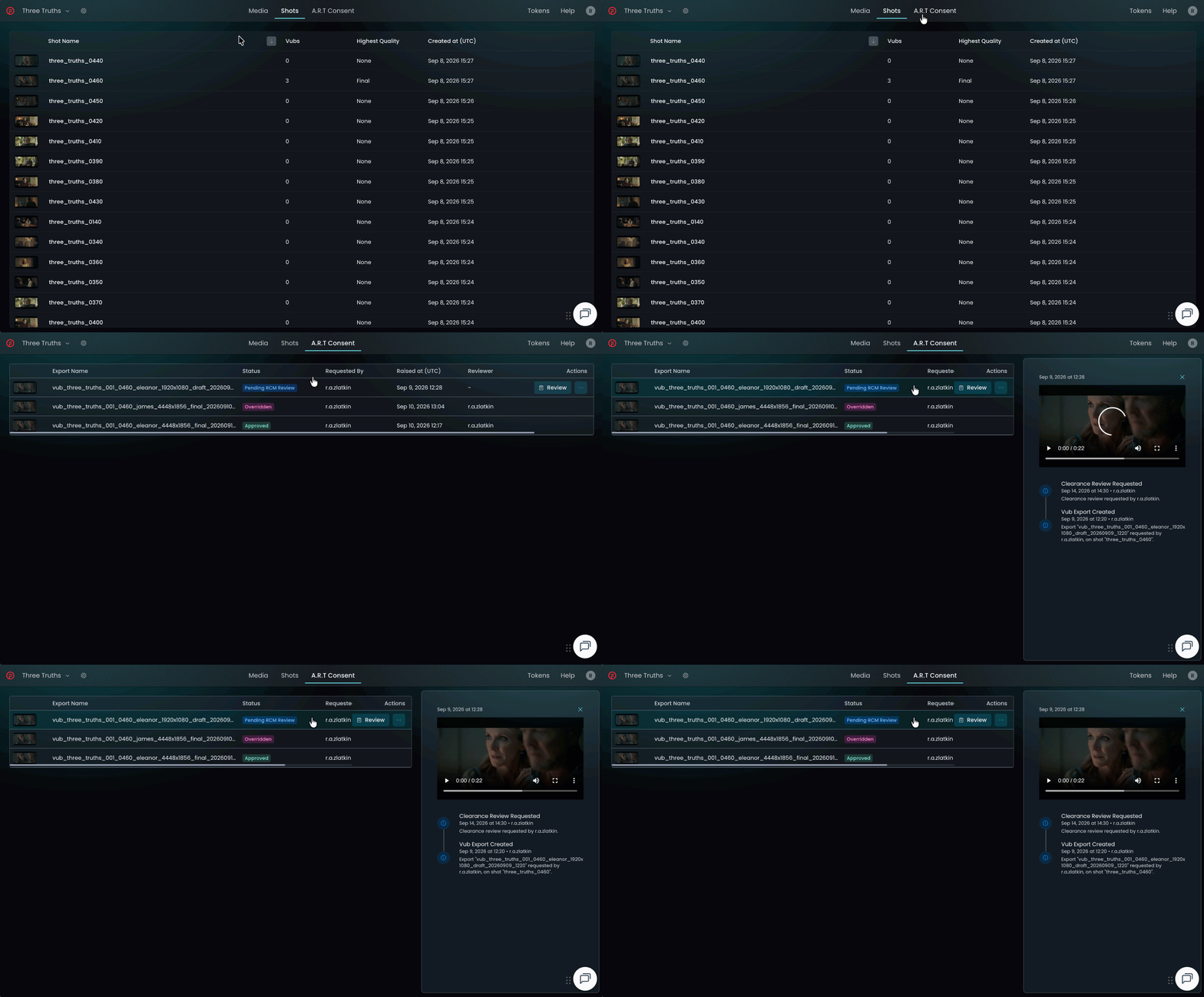
You can track the progress of your request in Project > A.R.T Consent:
- View pending and past consent requests.
- Click any row to see a detailed timeline of actions and decisions.
Consent Request Stages
A consent request may go through the following stages:
- Auto-Approval - Based on the project’s consent settings
- Clearance Review - Reviewed by a Rights Clearance Manager
- Rights Holder Review - Referred to the rights holder for approval
You will be notified by email once your request is approved or declined.
Read next: A.R.T. for Rights Clearance Managers