Table of Contents
Editing Project
Localization Project
Project Settings
Project Types: Localization vs. Editing
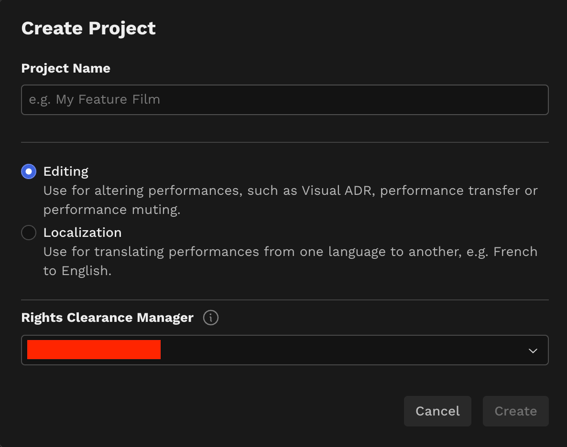
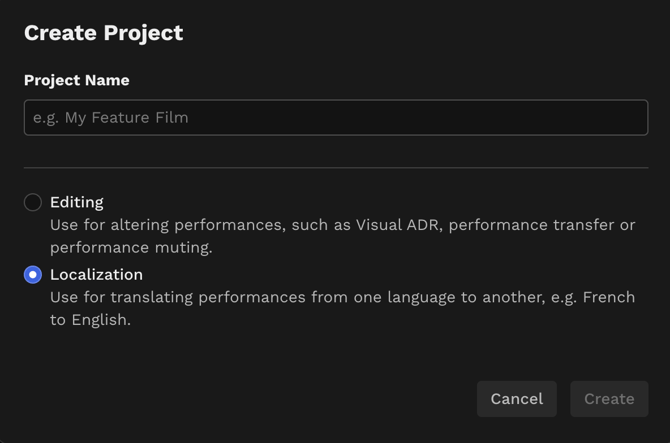
When you create a new project in DeepEditor, you will be prompted to select a "Project Type." This choice determines whether you need to follow the Artistic Rights Treasury (A.R.T.) consent workflow.
Editing Project
If your intended use for DeepEditor is to alter performances, select the Editing project type.
You will then be prompted to input the name of your Rights Clearance Manager. Your Rights Clearance Manager must have a DeepEditor account and be a member of your tenant.
Localization Project
Localization projects are used for translating performances from one language to another.
If your project includes a legal "Dubbing Agreement" or comprehensive consent from the talent (or an authorized representative of their estate or interests) for facial modifications, select the Localization project type.
Selecting Localization means you can bypass the A.R.T. consent workflow.
We trust our customers to act in good faith regarding the legal implications of opting to bypass the Artistic Rights Treasury.
Project Settings
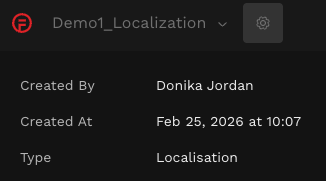
If you are unsure whether an existing project is an Editing or Localization project, click into the project. If it is an Editing project, you will see an A.R.T. Consent tab.
You can also see the project type by going to the Project Settings (access these by clicking on the cog icon in the top left next to the Projects drop-down):