
Account Creation
Where do I find the 6-digit code to log into DeepEditor?
-
Your 6-digit code for 2-factor authentication comes from the login method you set up when creating your account. In the Authenticator App, the code appears in the app you used to scan the QR code.
My verification code expired. What should I do?
-
Simply request a new verification code and enter the newest code you receive. SMS and authenticator codes expire after a short time for security reasons.
I lost access to my authenticator app, what should I do?
-
Contact support@flawless.app to reset your two-factor authentication.
What internet browsers does DeepEditor support?
-
DeepEditor is currently only fully compatible with Google Chrome.
What languages does DeepEditor support?
-
DeepEditor is language-agnostic so any language may be vubbed.
Organizations, Workspaces & Roles
[question]
-
[answer]
Creating a Project
[question]
-
[answer]
Workflow
[question]
-
[answer]
Contacting Support
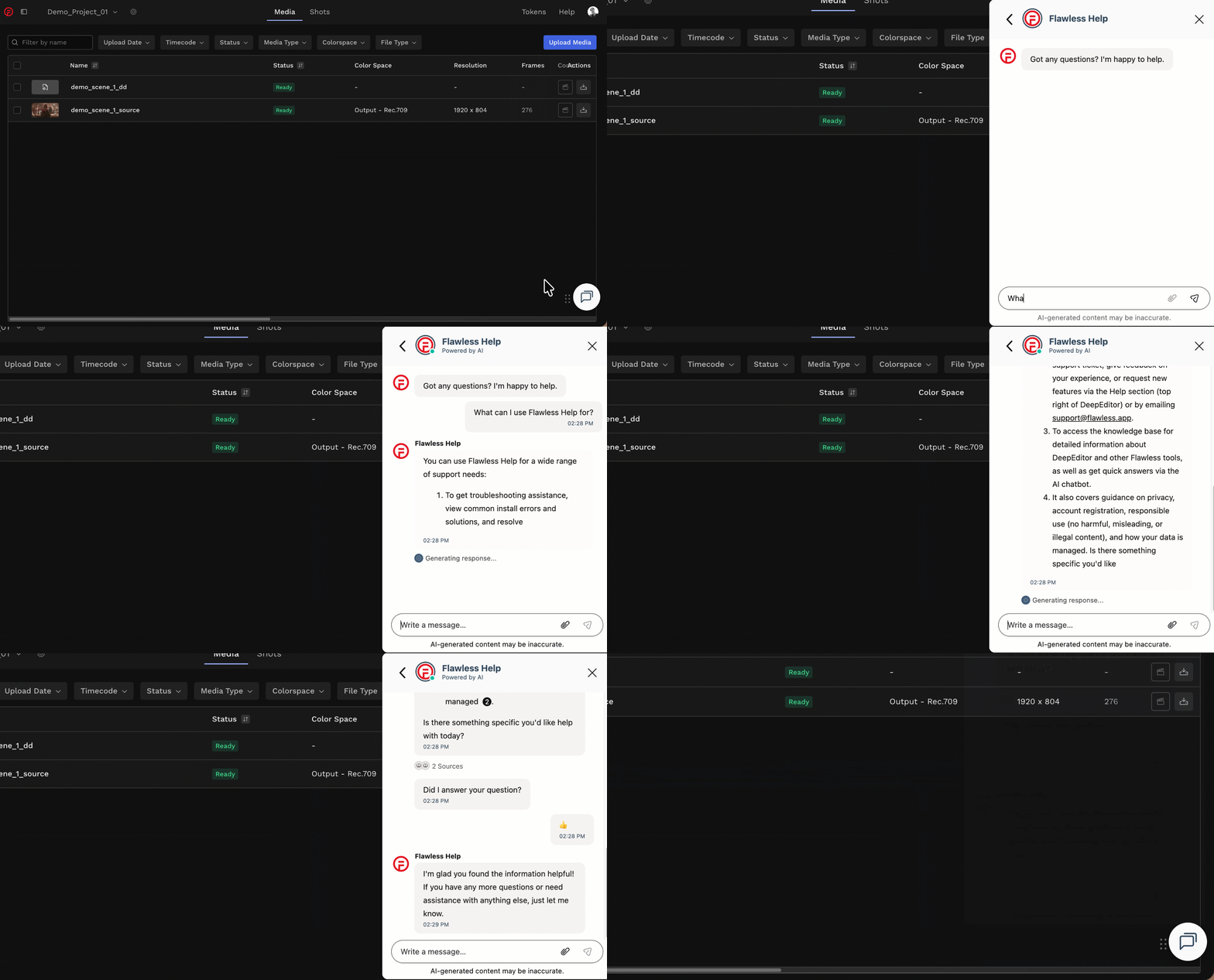
If you require assistance, the first place to try is the Flawless Help chatbot. It is available 24/7 to help you - you can find it in the bottom right of your screen inside the DeepEditor web app and in our Knowledge Base.
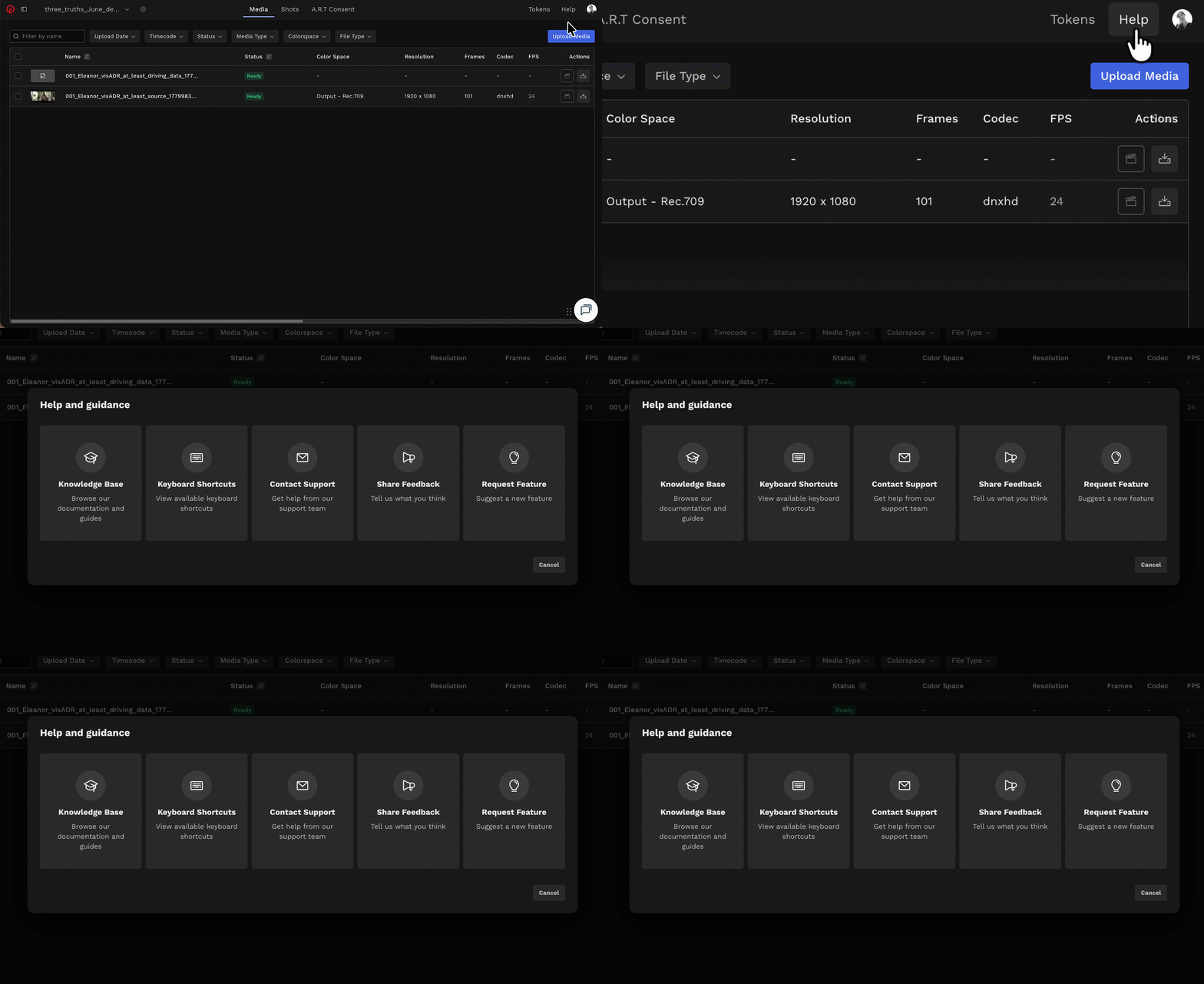
If the chatbot can't resolve your query, click Help in the top-right corner of DeepEditor to access the following options:
- Knowledge Base — search articles and try the Flawless Help chatbot again
- Keyboard Shortcuts - a full list of the keyboard shortcuts for the Refinement tool
- Contact Support — raise a Flawless Support ticket
- Share Feedback — share your experience of the product
- Request Feature — suggest ideas for new features
-
You can also email support@flawless.app directly at any time.