
Introduction
If you want to try different pieces of Driving Data to vub the same Source shot - for instance, you have a joke that you want to try different punchlines for - then you don't need to keep creating new shots in DeepEditor. You can simply add the Driving Data to the existing shot. This will keep things contained in your DeepEditor project and also mean that new vubs for that shot will be created more quickly.
Step-by-Step
To add Driving Data to a shot that already exits:
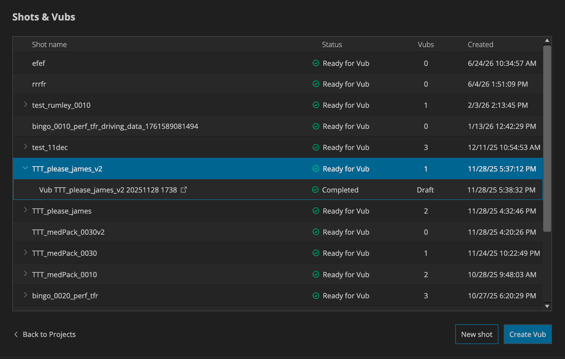
- In the DeepEditor Extension, select your shot in the Shots&Vubs list and hit Create Vub:
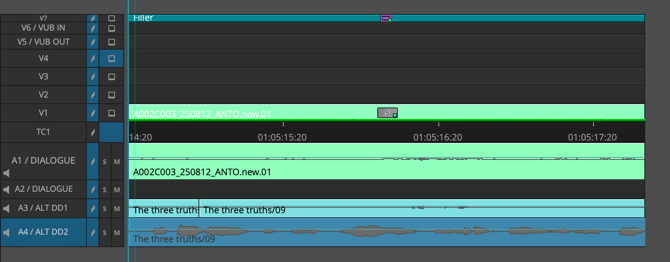
- When the new vub panel opens, check you the correct video/audio tracks selected and the correct in-out points set in your Avid timeline as per the guidance here.
- Then select Load new from timeline in the Driving Data section of the DeepEditor Extension:
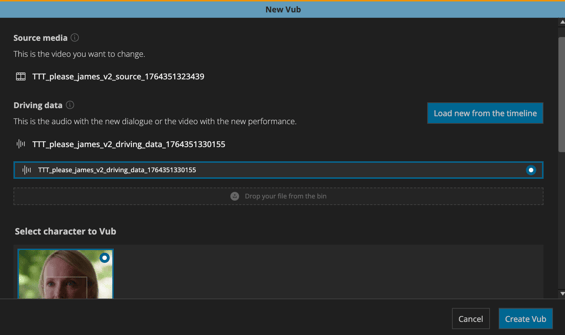
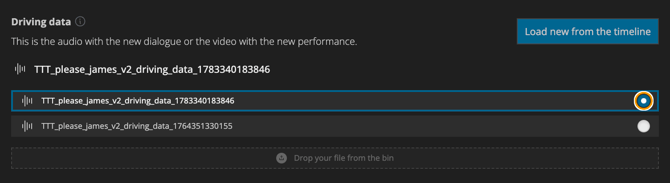
- The new Driving Data will appear at the top of the Driving data list. Wait for it to complete Processing:
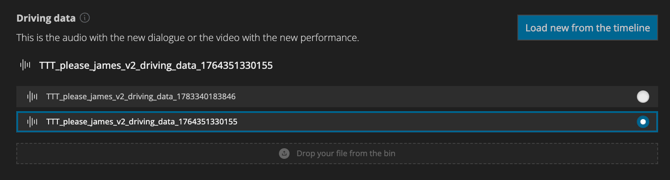
- Select your new Driving Data:
- Hit Create Vub and the vub creation will be triggered like normal:
