
-
Installation and Setup
-
Creating your Vub
-
Downloading your Vub
-
Media Package Learning Resource
-
Contacting Support
Installation and Setup
[issue/question]
[answer]
Creating your Vub
[issue/question]
[answer]
Downloading your Vub
MXF exports look washed out when importing into Avid
For an explanation of why this happens and how to resolve it, see the article: Understanding Color Levels When Re-Importing DeepEditor Exports Into Avid.
Media Package Learning Resource
[issue/question]
[answer]
Contacting Support
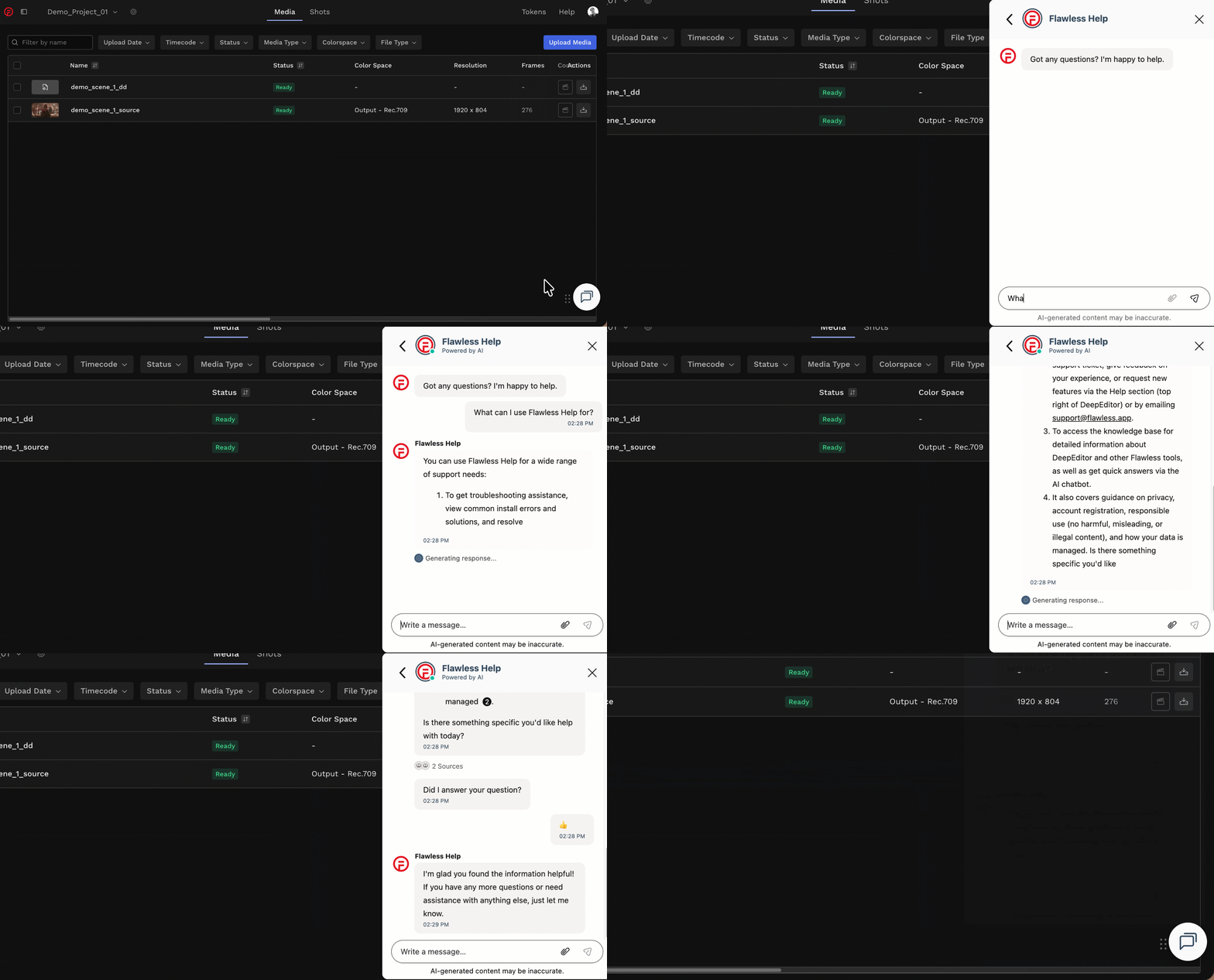
If you require assistance, the first place to try is the Flawless Help chatbot. It is available 24/7 to help you - you can find it in the bottom right of your screen inside the DeepEditor web app and in our Knowledge Base.
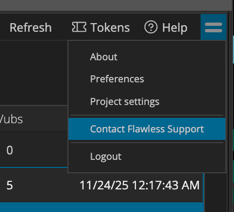
If the chatbot can't resolve your issue, you can request support from the 'sandwich' menu in the DeepEditor Extension:
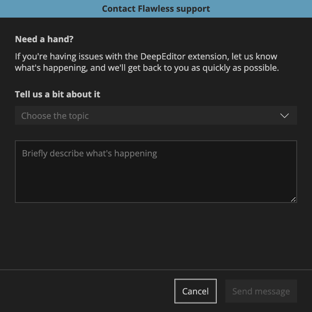
This will take you to this form that, once completed and submitted, will be sent to the Flawless support team:
Alternatively, please contact us at support@flawless.app.