
Remember to try the Flawless Help chatbot when you have any questions!
Account Creation
Account: I did not receive my invitation email
-
Check your spam or junk folder. If it's not there, contact support@flawless.app and provide the email address you used to apply for an account.
Account: My application has been pending for a while
-
Application reviews typically take a short time. If you haven't heard back, email support@flawless.app with your name, email and application details.
Account: My account appears to be suspended
-
Account suspensions can occur for non-payment or if usage has exceeded prepaid limits. Contact support@flawless.app to resolve.
Browser / System: DeepEditor is not loading correctly
-
DeepEditor requires Google Chrome (version 138 or later). Make sure you are not using a different browser. Clear your browser cache and try again.
Browser / System: DeepEditor is not available on my network
-
Your IT team may need to whitelist the required domains. Share the article DeepEditor Set Up for IT Admins article with your IT department, which includes the full domain allowlist.
Two factor authentication: I cannot scan the QR code during setup
-
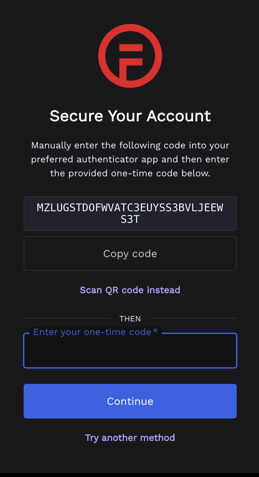
Click 'Trouble Scanning?' on the setup screen. This will give you a text code you can enter manually into your authenticator app.
-
You can enter this string into Google Authenticator by clicking on the ‘+’ icon in the bottom right of the screen and selecting ‘Enter a setup key’.
-
To enter this string into Duo Mobile, tap on ‘+Add’, scroll to the bottom of the screen, and select "Add other account", then select ‘Use Activation code’.
I've lost access to my authenticator app
-
Contact support@flawless.app to reset your two-factor authentication.
Organizations, Workspaces, and Roles
I can't see my workspace in the list on the homepage.
If you can't see the workspace you expect to see, try one of the following solutions:
1. Check that you are logged into the correct Flawless product
- If your workspace is a DeepEditor workspace, make sure you are logged into DeepEditor at https://deepeditor.flawless.app/projects
- If your workspace is a TrueSync workspace, make sure you are logged into TrueSync at https://truesync.flawless.app/projects
2. If another user is the Owner of the workspace, confirm with them that they have granted you access to that workspace.
Contacting Support
If you require assistance, the first place to try is the Flawless Help chatbot. It is available 24/7 to help you - you can find it in the bottom right of your screen inside the DeepEditor web app and in our Knowledge Base.
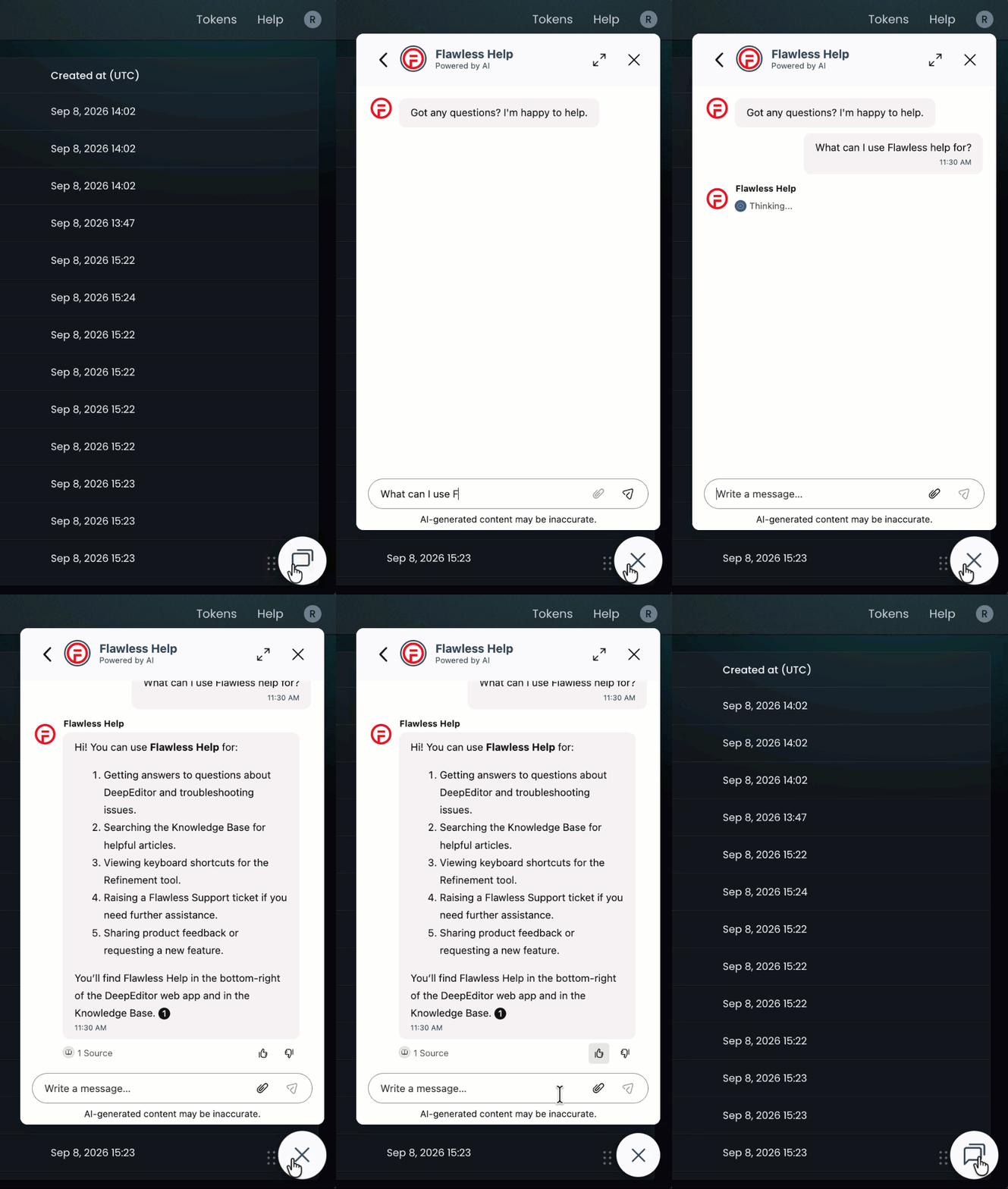
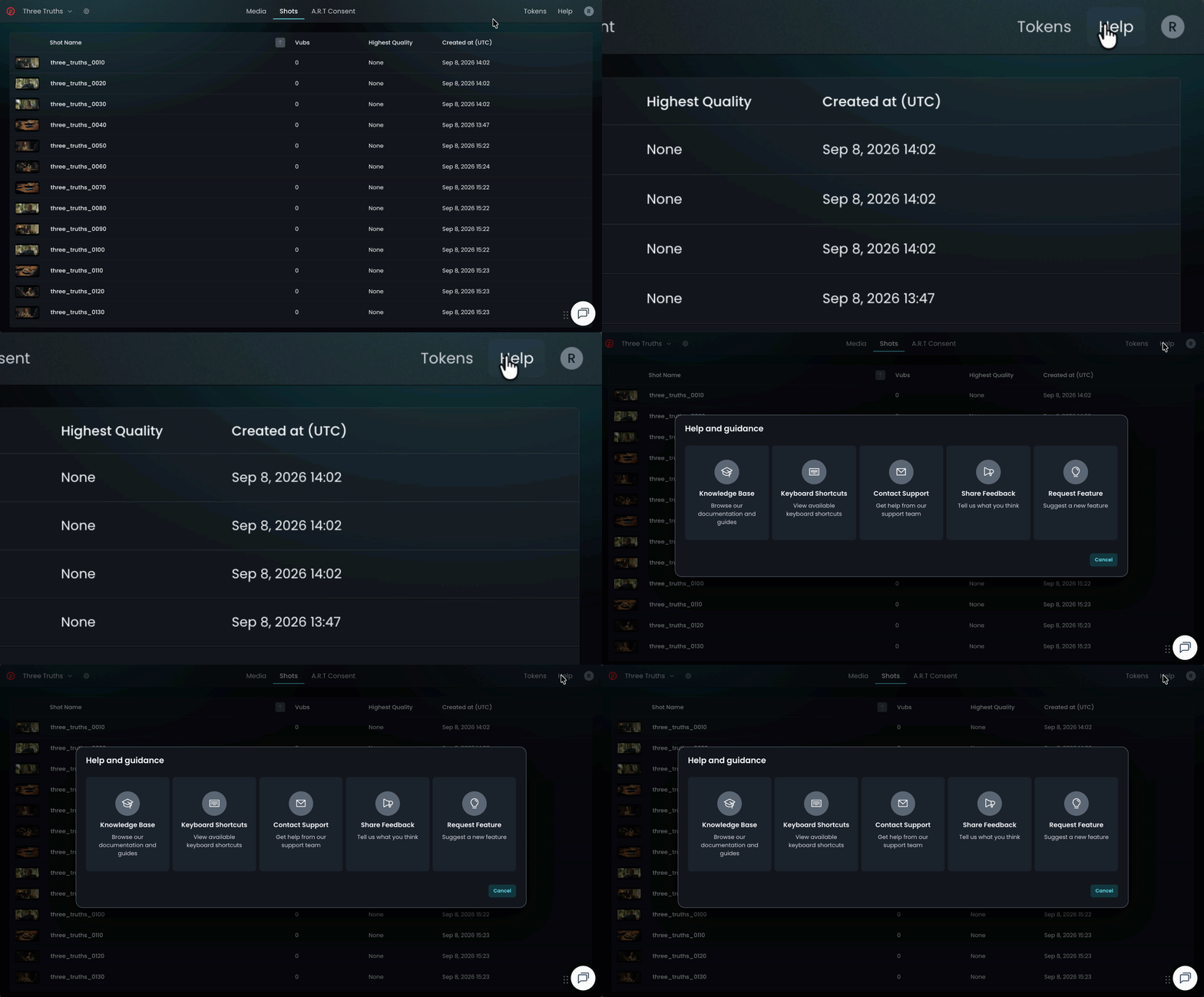
If the chatbot can't resolve your query, click Help in the top-right corner of DeepEditor to access the following options:
- Knowledge Base — search articles and try the Flawless Help chatbot again
- Keyboard Shortcuts - a full list of the keyboard shortcuts for the Refinement tool
- Contact Support — raise a Flawless Support ticket
- Share Feedback — share your experience of the product
- Request Feature — suggest ideas for new features
-
You can also email support@flawless.app directly at any time.