
Table of Contents
What is a tenant?
How do I switch between tenants?
How do I add a member of my team to a tenant?
How do I rename my tenant?
Do members of a tenant share tokens?
Best Practices
What is a tenant?
A tenant is the workspace that hosts your DeepEditor projects. A user can belong to multiple tenants, including:
- a private tenant: where users work on private projects.
- shared tenants: where multiple users can collaborate on the same projects.
How do I switch between tenants?
In the DeepEditor Web App (Chrome)
1. Open the DeepEditor Web App in Google Chrome.
2. Click on your initials in the top-right corner of the DeepEditor interface.
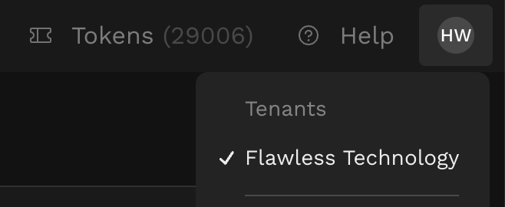
3. A list of all tenants associated with your account will appear.
4. Select the tenant you wish to access.
In the DeepEditor Avid Media Composer Extension
-
The DeepEditor Avid Media Composer panel automatically connects to the last tenant you signed into via the web app.
-
At this time, tenant switching is not supported directly within the Avid panel.
-
To switch tenants, log into the desired tenant in the web app, and then reopen the extension.
How do I add a member of my team to a tenant?
Currently, only the Flawless Support Team can modify tenant memberships.
To add or remove a team member from a tenant, please contact:
support@flawless.app
How do I rename my tenant?
At present, tenant renaming can only be done by the Flawless Support Team.
To rename your tenant, please contact:
support@flawless.app
Do members of a tenant share tokens?
Yes, users within the same tenant share the same pool of tokens.
Best Practices
Avoid Multiple Users Refining the Same Vub
-
When sharing a tenancy, only one user should access the Refinement Tool for a vub at a time.
-
If multiple users open the same vub simultaneously, only the first user’s work will be saved.
-
All unsaved changes from other users will be overwritten upon closing the tab.
-
To avoid data loss, coordinate with your team before editing the same shot.