
Remember to try the Flawless Help chatbot when you have any questions!
Account Creation
Where do I find the 6-digit code to log into DeepEditor?
-
Your 6-digit code for 2-factor authentication comes from the login method you set up when creating your account. In the Authenticator App, the code appears in the app you used to scan the QR code.
My verification code expired. What should I do?
-
Simply request a new verification code and enter the newest code you receive. SMS and authenticator codes expire after a short time for security reasons.
I lost access to my authenticator app, what should I do?
-
Contact support@flawless.app to reset your two-factor authentication.
What internet browsers does DeepEditor support?
-
DeepEditor is currently only fully compatible with Google Chrome.
What languages does DeepEditor support?
-
DeepEditor is language-agnostic so any language may be vubbed.
Workflow Overview
What time zone does DeepEditor use?
- DeepEditor displays all dates and times in UTC (Coordinated Universal Time). Timestamps are not converted to your local time zone, so they are identical for every member of your workspace wherever they are working. This means you and a colleague in another region always see the same time against the same media, vub, refinement render, export or consent action.
- You will see UTC timestamps in the Media Library, the Shot Media Library, the Vubs tab, the Exports tab, the A.R.T. Consent timeline and ledger, Project Settings, the Members tab and the Org Admin Panel, and against saved renders in the Refinement tool.
- Most of these are labelled UTC in the interface. Timestamps for Saved renders in the Refinement tool's Load dialogue are not currently labelled, but they are UTC too.
- Note that UTC does not observe daylight saving, so DeepEditor timestamps recorded in summer and winter are directly comparable, however, the offset you apply for your time zone will change, if daylight saving is observed in your timezone.
Can I change DeepEditor to display my local time?
-
It is currently not possible to have timestamps in DeepEditor display in your local time zone. All timestamps are shown in UTC. If this is an important feature for you, let us know via Help > Request Feature in the top right of DeepEditor.
Consent and A.R.T.
How do I define what vub qualities require consent?
-
The vub qualities (Draft or Final) that require consent can be set by the Rights Clearance Manager(s) for your project. See here for details.
Contacting Support
If you require assistance, the first place to try is the Flawless Help chatbot. It is available 24/7 to help you - you can find it in the bottom right of your screen inside the DeepEditor web app and in our Knowledge Base.
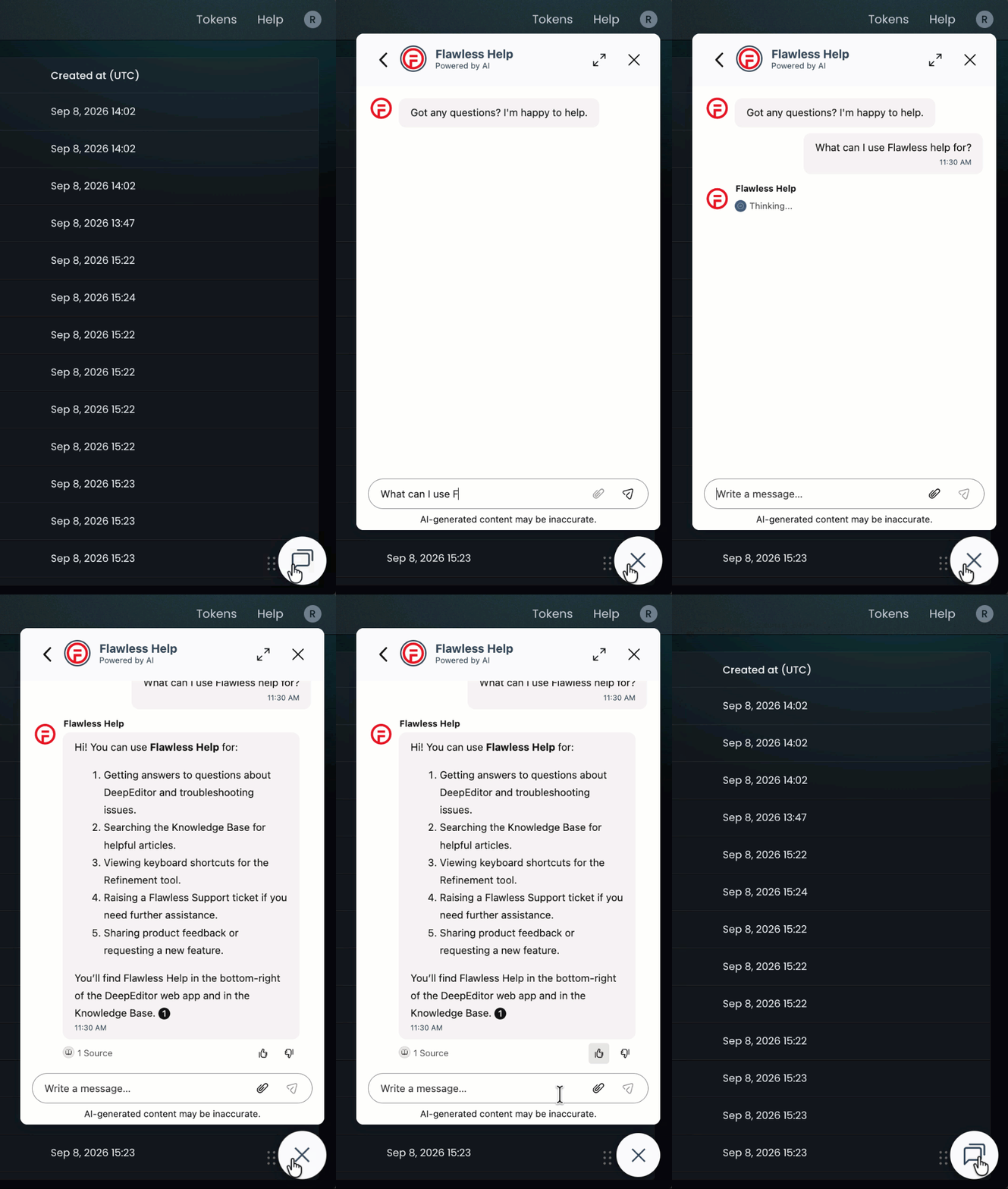
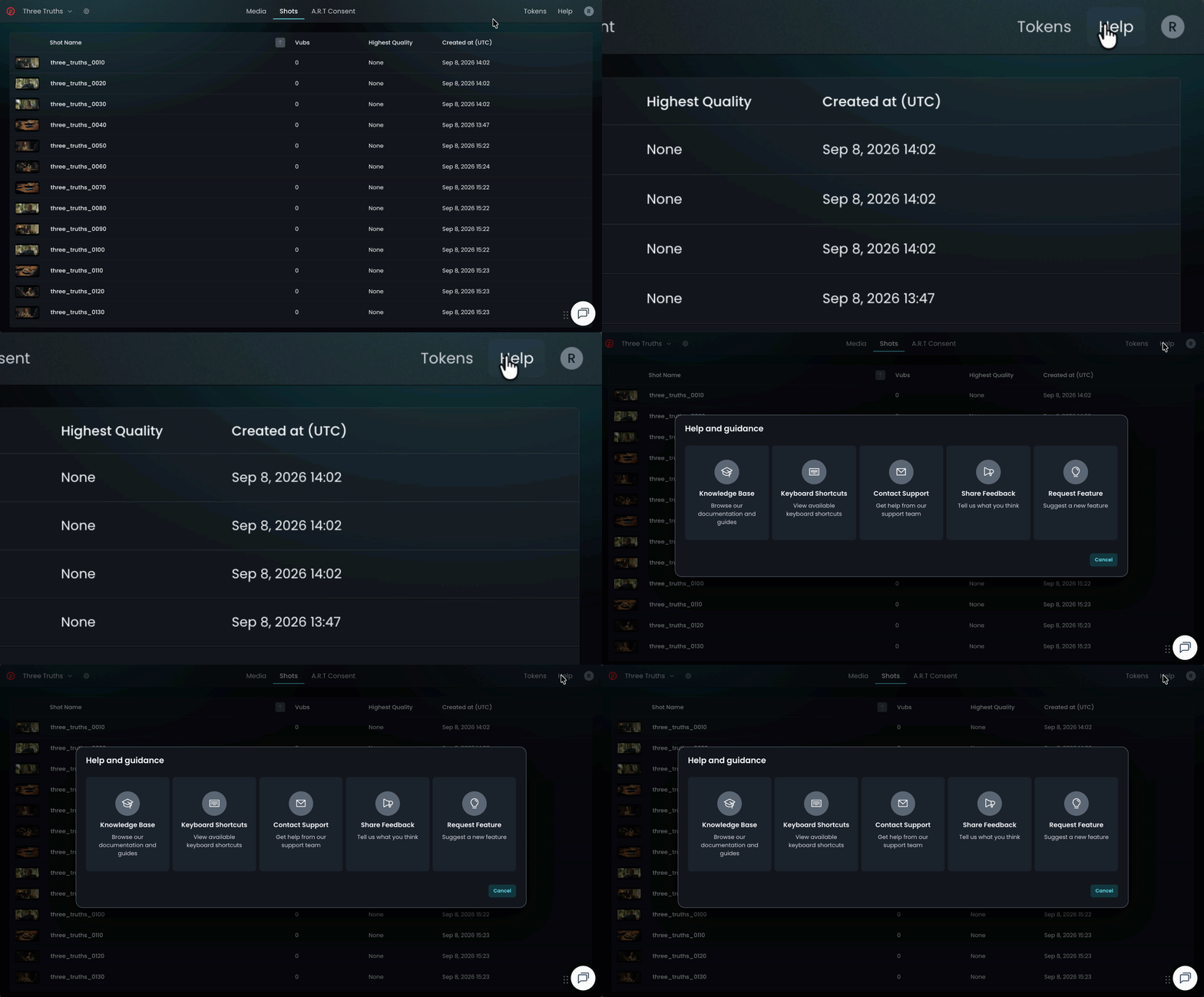
If the chatbot can't resolve your query, click Help in the top-right corner of DeepEditor to access the following options:
- Knowledge Base — search articles and try the Flawless Help chatbot again
- Keyboard Shortcuts - a full list of the keyboard shortcuts for the Refinement tool
- Contact Support — raise a Flawless Support ticket
- Share Feedback — share your experience of the product
- Request Feature — suggest ideas for new features
-
You can also email support@flawless.app directly at any time.