
Remember to try the Flawless Help chatbot when you have any questions!
Final Quality Vub Creation
Can I create an upgrade with media that is a different aspect ratio from the Draft?
-
Yes, this is fully supported and a common workflow. The aspect ratio of your media in your Draft vub compared to your full quality media in your Final vub do not need to match.
Can I upgrade Draft vubs with a grade/LUT to Final Quality using ungraded media?
-
Yes. The key aspect is that the shot itself is the same, i.e the same frames of action. Color differences between your offline media and your camera original media are handled and expected.
What happens if I use different Training Data media when I upgrade my vub?
-
If the Training Data used for the upgrade differs from the Training Data used for the Draft, you will possibly see changes in image fidelity. Always review the upgraded vub once it’s complete. All refinement overrides made in the Draft vub will be preserved.
How do I upgrade a Draft vub using an older render i.e. not the most recent?
-
When you trigger an upgrade in DeepEditor, it will always upgrade from the most recent render. If you want to upgrade from an older render, follow these steps:
-
Load the desired older render in the Refinement tool using the Load button.
-
Make an arbitrary change in the Refinement tool (e.g. adding a new keyframe with a value of 0) and hit Render changes.
-
This will bump your older render to the top of the list, making it the latest. You can now create your upgrade and this version will be used.
-
Can I upgrade from Draft to Final using the same piece of Source media?
-
Yes you can - you can upgrade using the same Source media and go from Draft to Final. It does not matter if the media is labelled in the 'Representation' field as 'Original' or 'Proxy' - the tag does not affect how the media is treated.
How does the 'Representation' field for my media affect my vub?
-
The 'Representation' field held against media files (set to either 'Proxy' or 'Original') does not affect the way the media is treated or the export that is generated. It just a user-set label to aid organisation of files.
My full quality media is ungraded - how do I make my export look like my offline media color?
- If you have used ungraded Source media for your vub, but want to cut it into your offline media timeline with a matching grade or LUT, you can either:
- apply the matching grade or LUT to your vub media using a tool like DaVinci Resolve, or:
- apply an approximate match grade in Avid / Premiere Pro using the in-tool color matching functionality.
Final Quality Finishing
How do I use the VFX Turnover package?
-
See the VFX Turnover package guide.
Contacting Support
If you require assistance, the first place to try is the Flawless Help chatbot. It is available 24/7 to help you - you can find it in the bottom right of your screen inside the DeepEditor web app and in our Knowledge Base.
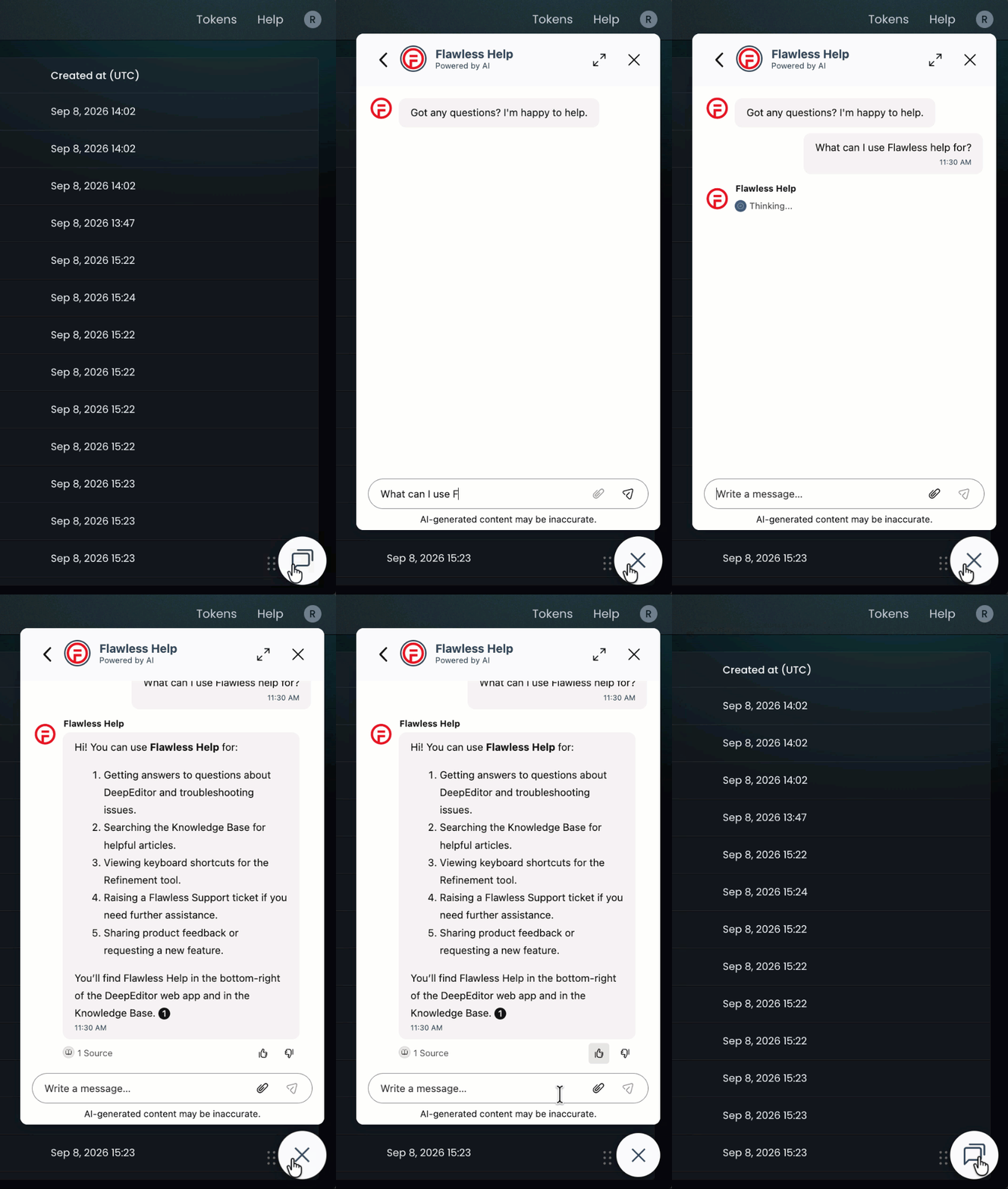
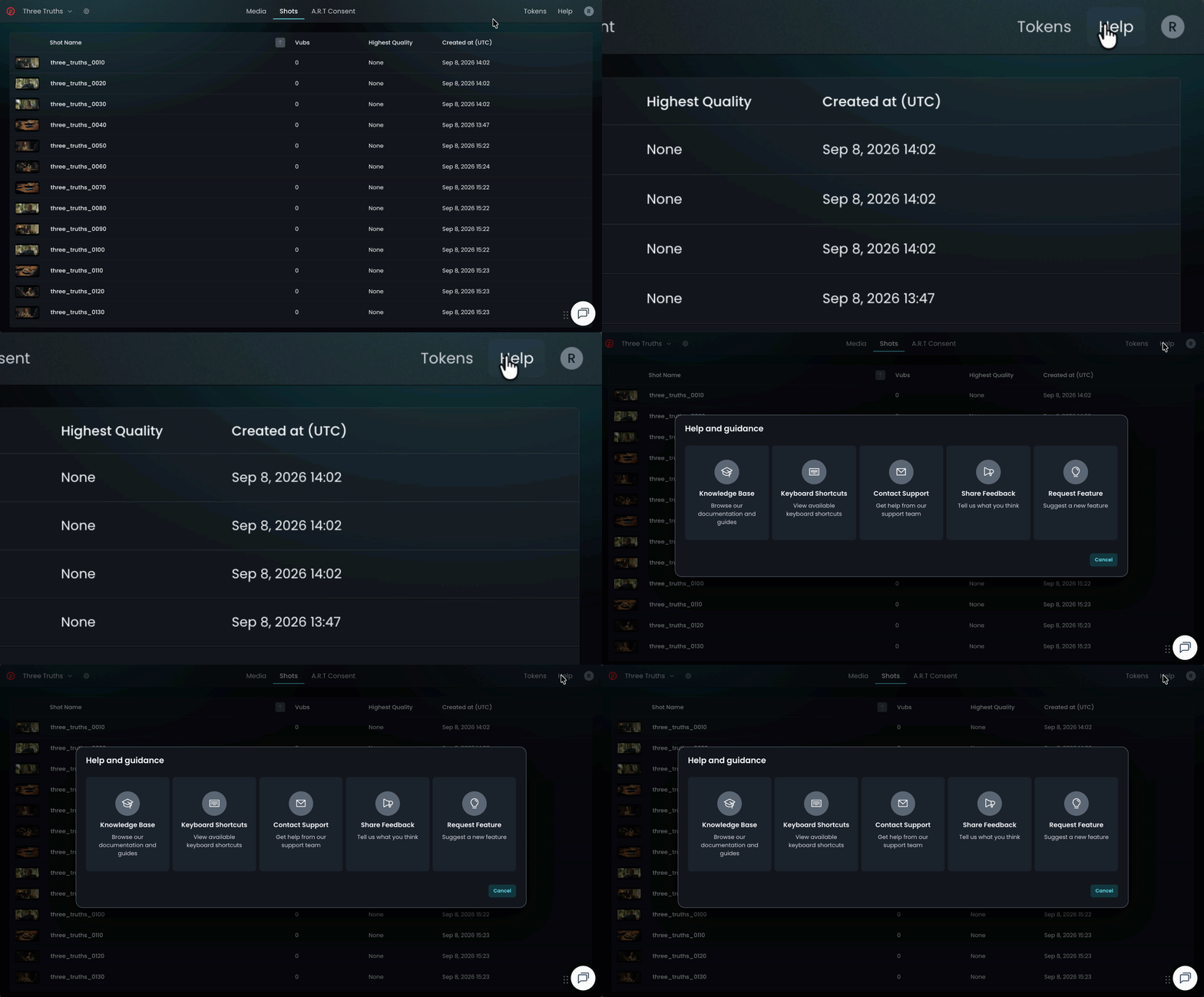
If the chatbot can't resolve your query, click Help in the top-right corner of DeepEditor to access the following options:
- Knowledge Base — search articles and try the Flawless Help chatbot again
- Keyboard Shortcuts - a full list of the keyboard shortcuts for the Refinement tool
- Contact Support — raise a Flawless Support ticket
- Share Feedback — share your experience of the product
- Request Feature — suggest ideas for new features
-
You can also email support@flawless.app directly at any time.